Black Friday 2019 ! The Biggest Deals of the year on 3D Printers, Filaments...
Most people already know what products they are seeking before shopping on Black Friday and we decide to select just the biggest deals !
We...
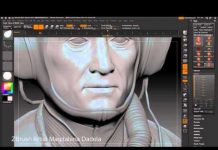
ZBrush 4 – Move Topological Brush
Move parts of the surface of your mesh independently even if they are close together using the Move Topological Brush in ZBrush 4.
source

ZBrush Guides: Materials and Compositing – Pablo Muñoz Gómez – Episode 12
Pablo goes through some tips & tricks on MatCaps and compositing your render passes in this episode ! Be sure to tune in live...
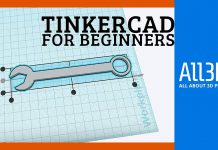
Tinkercad Tutorial for Complete Beginners
In this Tinkercad tutorial for beginners, we will show you in just five easy steps how to create 3D models in Tinkercad. You can...
ZBrush 2021 New Features – Official Sneak Preview
Available now! Free Update for Current Users Learn more: https://pixologic.com/features/ Pixologic is happy to present a demonstration of features available in ...
source
...
#AskZBrush: “Why does Surface Noise look different after it is applied?”
AskZBrush: “Why does Surface Noise look different after it is applied?” Video covers the differences between the surface noise preview and once it is...
ZBrush ZModeler Polygon Actions – Poly Bridge
Buy ZBrush 4R7 – http://store.pixologic.com/ The all-in-one digital sculpting solution, designed for the pursuit of art. See for yourself how ZBrush is the perfect...
Gizmo Swapper – Pixologic's ZBrush Plugin
Gizmo Swapper - Pixologic's ZBrush Plugin The GizmoSwapper plugin will allow you to use a separate Gizmo Manipulator for Move, Scale, and Rotate.
source

3D Model a Disney Style Canine Character in ZBrush #withme ! – Shane Olson...
Next Part: https://youtu.be/3ljHYcioR4w Concept by: Sandro Cleuzo Sculpt along with Shane as he creates a Disney style canine character in this episode!
source

ZClassroom LIVE: 3D Illustrations – Pixologic Joseph – ZBrush 2020
3D Illustrations: Spotlight and Live Boolean Robot - BPR Filters - PolyPainting - Deformers Visit ZClassroom.com for free tutorials from the Pixologic team!
source
Latest News
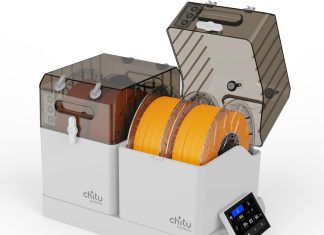
FilaPartner E1 Review – The Modular Filament Dryer from Chitu Systems
/* AzurMedia.fr Styles - adaptable from your theme if needed */ .azur-article { font-family: "Helvetica Neue", Arial, sans-serif; color: #222; ...